
Windows 11 sirf ek new look wala OS nahi hai, balki isme advanced Security Commands bhi diye gaye hain. Lekin bahut se users ko nahi pata hota ki Windows 11 ke andar kuchh powerful built-in Security Commands hoti hain jo bina kisi antivirus ke bhi computer ko safe, clean aur under control rakh sakti hain.
Is post me hum Windows 11 ke 10 most important commands ke baare me baat karenge — jaise MRT, netplwiz, Windows Security, Firewall, Logs etc.
Ye sab official Microsoft tools hain, koi hack ya illegal method nahi.
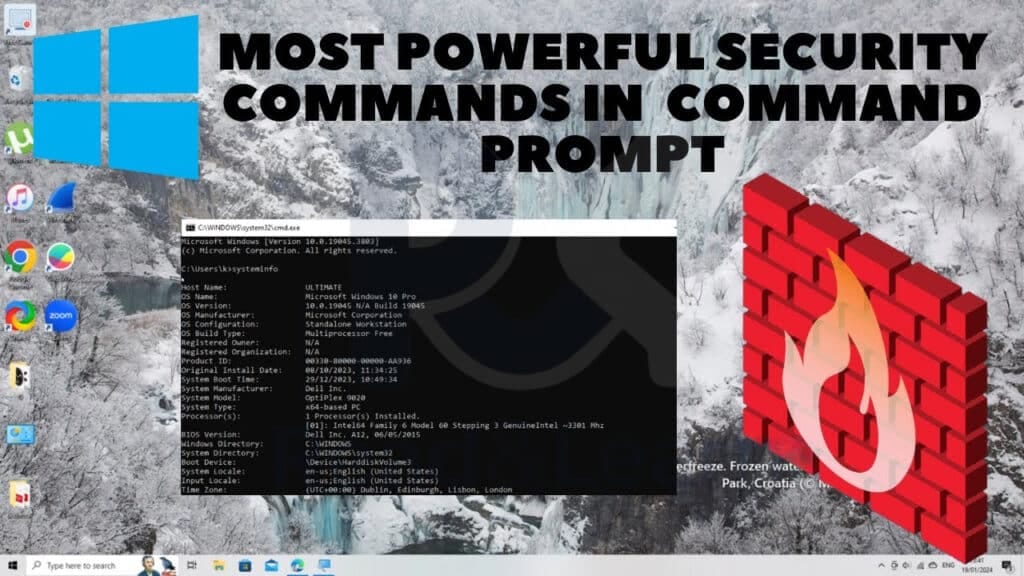
Windows 11 me Security Commands Kya Hoti Hain?
Windows 11 Security Commands wo shortcuts hote hain jo system ke hidden ya deep settings ko directly open kar dete hain.
Inhe open karne ke liye:
👉 Keyboard se Windows + R press kare
👉 Command type kare
👉 Enter press kare
Isse:
- Time bachta hai
- Security settings easily access hoti hain
- Virus / suspicious activity ka pata chalta hai
1️⃣ MRT – Malicious Software Removal Tool
Command: mrt
Windows 11 me MRT ek Microsoft ka official malware removal tool hai. Ye common viruses, trojans aur malicious software ko scan karke remove karta hai.
Is command se kya fayda hota hai?
- Virus & malware detect hota hai
- Suspicious files remove hoti hain
- Extra antivirus ke bina basic security milti hai
👉 Tip: Month me ek baar Full Scan zaroor run kare.
2️⃣ netplwiz – User Account Security Control
Command: netplwiz
Is command se aap Windows 11 ke user accounts aur login permissions control kar sakte ho.
Isse aap kya kar sakte ho?
- Unknown user accounts check
- Admin access control
- Password protection manage
👉 Agar koi unknown user dikhe, to system unsafe ho sakta hai.
3️⃣ windowsdefender: – Windows Security Dashboard
Command: windowsdefender:
Ye Windows 11 ka main security centre open karta hai.
Yahan se aap:
- Virus & threat protection
- Firewall status
- Ransomware protection
- App & browser control
sab kuchh check kar sakte ho.
👉 Windows 11 users ke liye sabse important Security Commands.
4️⃣ wf.msc – Windows Firewall Advanced Security Commands
Command: wf.msc
Ye Windows Firewall ka advanced version open karta hai.
Iska use:
- Incoming / outgoing connections control
- Suspicious app ko internet se block
- Extra network security
👉 Advanced users ke liye powerful security tool.
5️⃣ taskmgr – Task Manager (Suspicious Apps Check)
Command: taskmgr
Task Manager se aap:
- Background me chal rahe apps dekh sakte ho
- High CPU / RAM usage detect
- Unknown process end kar sakte ho
👉 Malware aksar background me heavy usage dikhata hai.
🔗 Related Post –
- Computer Hanging Problem Solve in 2 Minutes
- Out of Range Monitor Problem in Windows – Full Guide in Hindi
6️⃣ services.msc – Background Services Control
Command: services.msc
Is tool se Windows 11 ki background services manage hoti hain.
Isse:
- Unnecessary services disable
- Unknown services identify
- System performance + security improve
⚠️ Galat service disable karne se system issue ho sakta hai.
7️⃣ eventvwr – Security & Login Logs
Command: eventvwr
Event Viewer se aap:
- Login attempts
- System errors
- Security warnings
check kar sakte ho.
👉 Agar koi unauthorized activity hui ho, to yahin record milta hai.
8️⃣ appwiz.cpl – Installed Software Check
Command: appwiz.cpl
Is command se:
- Installed programs list
- Unknown / suspicious software
- Unwanted apps uninstall
ho jaate hain.
👉 Unknown software = security risk.
9️⃣ gpedit.msc – Local Group Policy (Pro Version)
Command: gpedit.msc
Windows 11 Pro me ye command bahut powerful hai.
Isse:
- USB block
- Windows settings lock
- Security rules enforce
kiye ja sakte hain.
👉 Office / shared computer ke liye best.
🔟 sysdm.cpl – System Protection & Restore
Command: sysdm.cpl
Is command se:
- System restore points
- Advanced system settings
- Performance & security control
milta hai.
👉 Virus attack ke baad system restore lifesaver hota hai.
🔥 FAQs – Windows 11 Commands & Security
netplwiz se password remove karna safe hai?
Personal PC ke liye ok, lekin shared PC ke liye unsafe.
Kya ye commands Windows 11 me safe hain?
Haan, ye sab Microsoft ke official tools hain.
Kya MRT antivirus ka replacement hai?
Nahi, lekin basic malware removal ke liye useful hai.
Windows Security hi kaafi hai kya?
Normal users ke liye haan, agar updated rakha jaye.
Task Manager me unknown process dikhe to kya kare?
Google me naam search kare ya Windows Security se scan kare.
Kya firewall off karna chahiye?
Bilkul nahi, firewall system ki first security wall hai.
In commands ko kitni baar use kare?
Month me 1–2 baar kaafi hota hai.
services.msc se kya malware band ho sakta hai?
Indirectly haan, agar suspicious service identify ho jaye.
Event Viewer common user ke liye useful hai?
Haan, especially agar hacking ya login issue ho.
gpedit.msc sab Windows 11 me hota hai?
Nahi, sirf Windows 11 Pro me.
Conclusion
Agar aap Windows 11 computer ko safe, secure aur under control rakhna chahte ho, to sirf antivirus par depend rehna kaafi nahi hai. MRT, netplwiz, Windows Security, Firewall aur logs jaise tools aapko system ke andar se hi protection dete hain.
Aise hi computer, Windows aur Security Commands ke liye Read and Learn ko follow karte rahiye.


Veery good write-up. I agsolutely appreciate this
website. Thanks! xnxx